
In Mailrelay you see in real time who opens your newsletters. You also see the browser or email app they use, for example Gmail, and their operating system. You'll find it in Reports > Sent campaigns, on the free account and on the Enterprise plan.
This way you know how your subscribers read your email marketing campaigns, and you can export the data to CSV to analyze it.
See opens in real time
Opens appear a few seconds after the subscriber opens the campaign:
- Go to Reports > Sent campaigns and click the campaign subject.
- In the Overview tab, look at the Real-time Activity box. Each line shows the subscriber's email, the date and time, and what they did, for example "Opened campaign.".
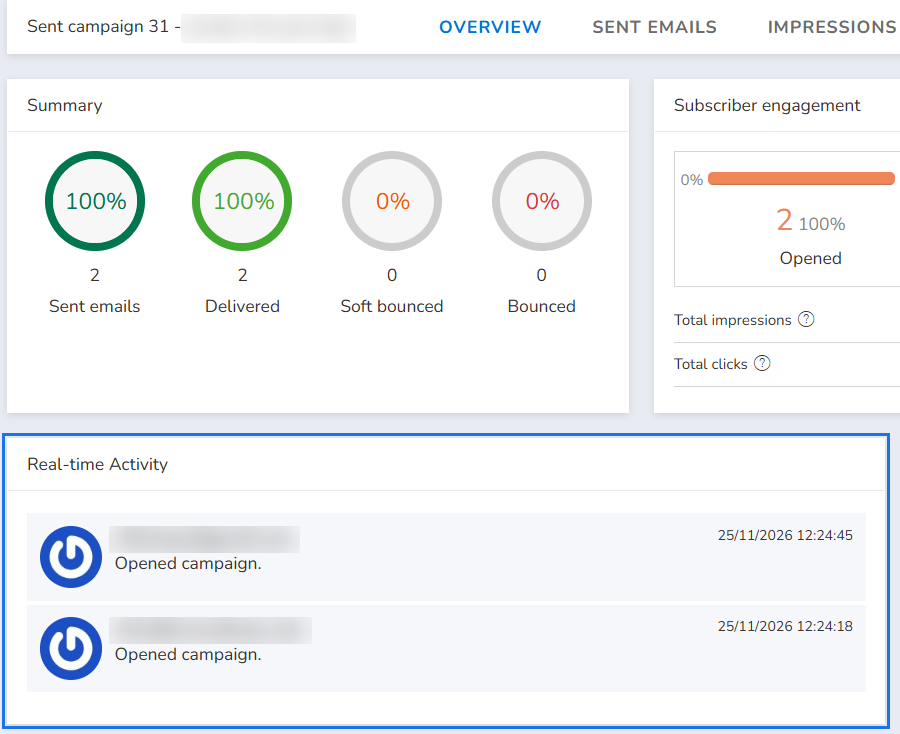
If you don't see a recent open, reload the page.
See the browser, email app and operating system
Mailrelay saves this data for each open and each click of your mass emails:
- In the sent campaign, open the Impressions tab.
- Look at the Browser and OS columns.
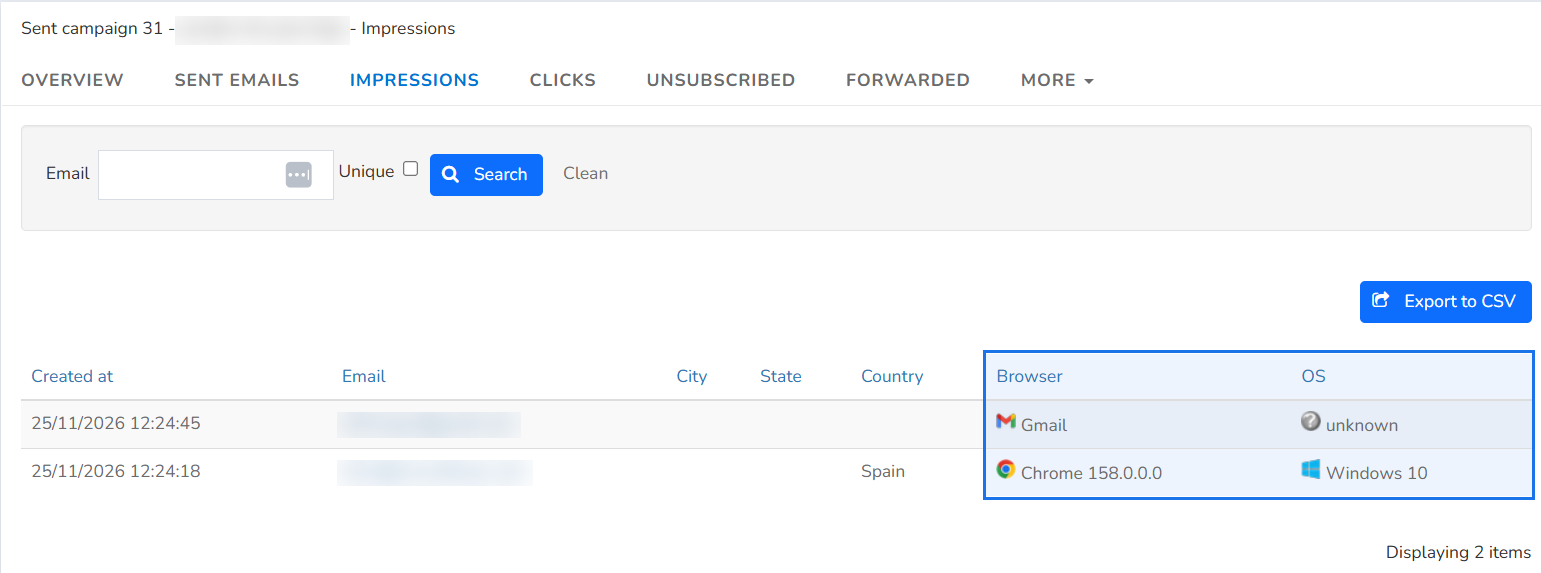
The Browser column shows the browser with its version, for example "Chrome 158.0.0.0", or the email app, for example "Gmail". The OS column shows the operating system, for example "Windows 10". The Clicks tab has the same two columns for each click.
Export the data to CSV
To analyze the data in a spreadsheet:
- In the Impressions tab, click Export to CSV.
- Tick Browser and OS. They aren't ticked by default. If you need it, also tick User agent.
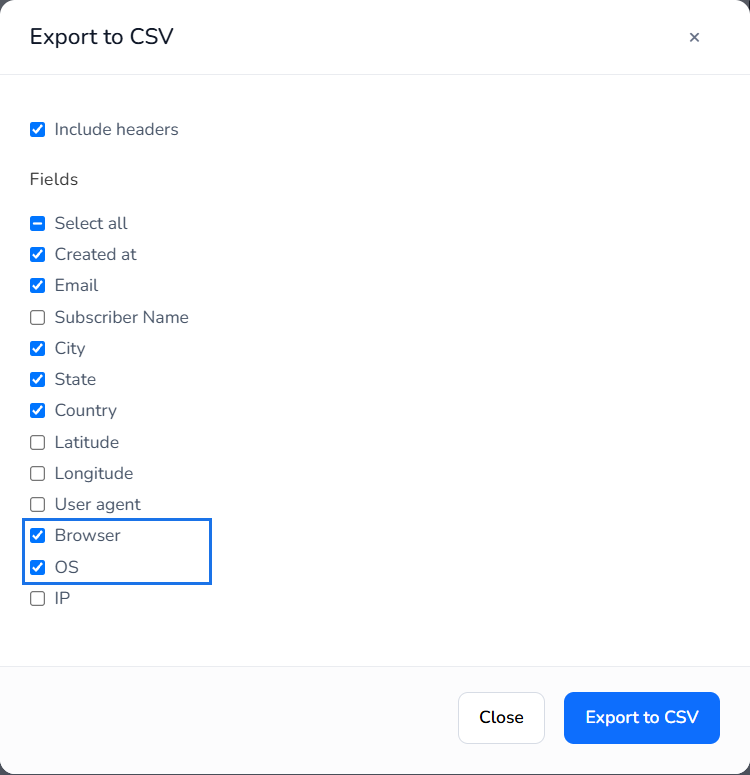
- Click Export to CSV.
Limits
Keep this in mind when you review this data:
- There's no report that groups opens by device, email app or operating system. You see the data of each open and each click, and you can export it to CSV.
- The operating system isn't always known. In that case, the OS column shows "unknown".
- The Standard plan doesn't track opens or clicks, so it doesn't have this data.
You'll find all the tabs of the report in Sent campaigns.
Frequently asked questions
These are the most common questions about this data.
Does Mailrelay show which email client opens my newsletters?
Yes. The Browser column of the Impressions and Clicks tabs shows the email app, for example "Gmail", or the browser.
Are the statistics updated in real time?
Yes. Opens appear in Real-time Activity a few seconds after the subscriber opens the campaign.
Can I use it with the free account?
Yes. The free account of this email marketing platform tracks opens and clicks, with the browser and operating system of each one.