
In Mailrelay you can publish your landing pages with your own domain. Set up a subdomain, for example "newsletter.yourdomain.com", in Settings > Tracking and bounce domains. The landing page is then at https://your-subdomain/l/slug.
The landing page editor is included in every plan, including the free account, at no extra cost. You have it in the same dashboard where you create your newsletters and your email marketing campaigns.
With the same email marketing tool, you get subscribers through the landing page form. Then you send them your mass emails.
Before you start
- Create the landing page first. You'll find the steps in Getting started with the Landing Page Editor.
- You need access to your domain's DNS panel to add a CNAME record. If you're not sure how to do it, ask your hosting provider for help.
Add your custom domain
If you already have a custom domain in your account, skip to the next section.
- Go to Settings > Tracking and bounce domains and click Add.
- In Domain, enter the subdomain you want to use, for example "newsletter.yourdomain.com", and click Next.

- In your domain's DNS panel, add the CNAME record that Mailrelay shows you.
- Tick I have added the records and click Check.
If everything is correct, you'll see the message "Custom domain has been created successfully". You'll find more details in Tracking and bounce domains.
Publish the landing page with your domain
Once the custom domain is created:
- Go to Landing pages and click the Edit icon of the landing page.
- In Style > Page attributes, enter the last part of the address in URL slug, for example "halloween".
- Turn on Published and click Save.
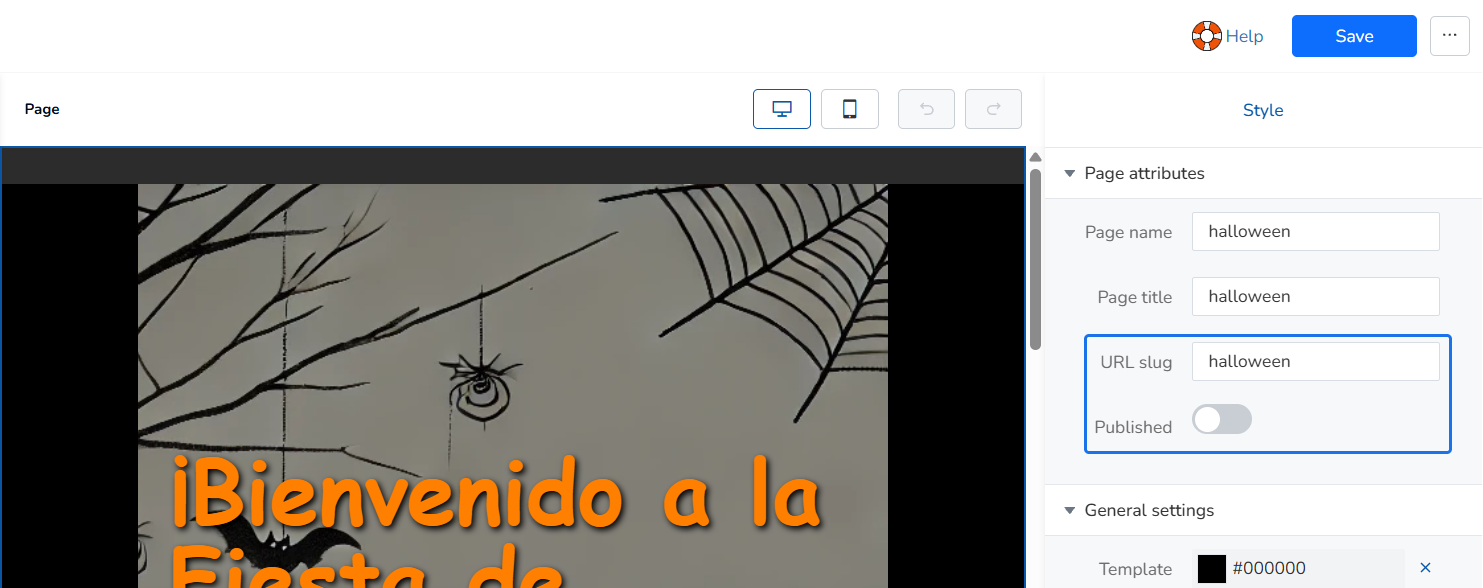
The landing page is then at https://your-subdomain/l/slug, for example https://newsletter.yourdomain.com/l/halloween. You can see the address in Public url when you click the Show icon of the landing page.
If you don't have a custom domain, the address uses the generic domain of your Mailrelay account.
If you have several custom domains
In the dashboard, the landing page address is shown with your default custom domain (Default column). Even so, the landing page opens with any of the custom domains in your account. You can use whichever you prefer in your links.
Limits
Keep this in mind before you publish:
- The custom domain is a subdomain, for example "newsletter.yourdomain.com", set up with a CNAME record in your DNS.
- The same custom domain is also used in the tracking links and images of your emails.
- If you delete a custom domain, the links to your landing pages with that domain stop working. They show a page not found error. If you add it again and the CNAME record is still in your DNS, they work again.
- Mailrelay issues and renews the HTTPS certificate. If your domain has a CAA record, it must allow letsencrypt.org.
- From 02/12/2026, landing pages on the free account will include the "Powered by Mailrelay" badge. To show only your brand, get the add-on or upgrade to a paid plan.
You'll find more information about the editor on the Mailrelay landing pages page.
Frequently asked questions
These are the most common questions about landing pages and domains.
Does Mailrelay let you use your own domain on landing pages?
Yes. Set up a subdomain in Tracking and bounce domains and your landing pages are published with it.
Do landing pages cost extra?
No. The landing page editor and its templates are included in every plan of this email marketing platform, including the free account.
Do I need to install an SSL certificate?
No. Mailrelay issues and renews the HTTPS certificate of your custom domain automatically.