
In Mailrelay your subscribers choose which groups they join in the signup form. They can also unsubscribe from one group and keep receiving your other newsletters. Mailrelay doesn't have a preference center: you do it with the form and the group unsubscribe link, also on the free account.
This way each contact only receives the email marketing campaigns of the groups they're interested in.
Before you start
- The groups the subscriber can choose, for example one for each newsletter. You'll find the steps in Organize contacts in groups without duplicates.
- A signup form. If you don't have one yet, create a signup form or pop-up.
Show the groups in the signup form
To let the subscriber tick the groups they want to join:
- Go to Subscribers > Signup forms and click Edit (green pencil) on the form.
- Open the Configuration tab.
- In Field type used to display groups, choose Checkbox.
- In Groups, choose the groups the subscriber can tick.
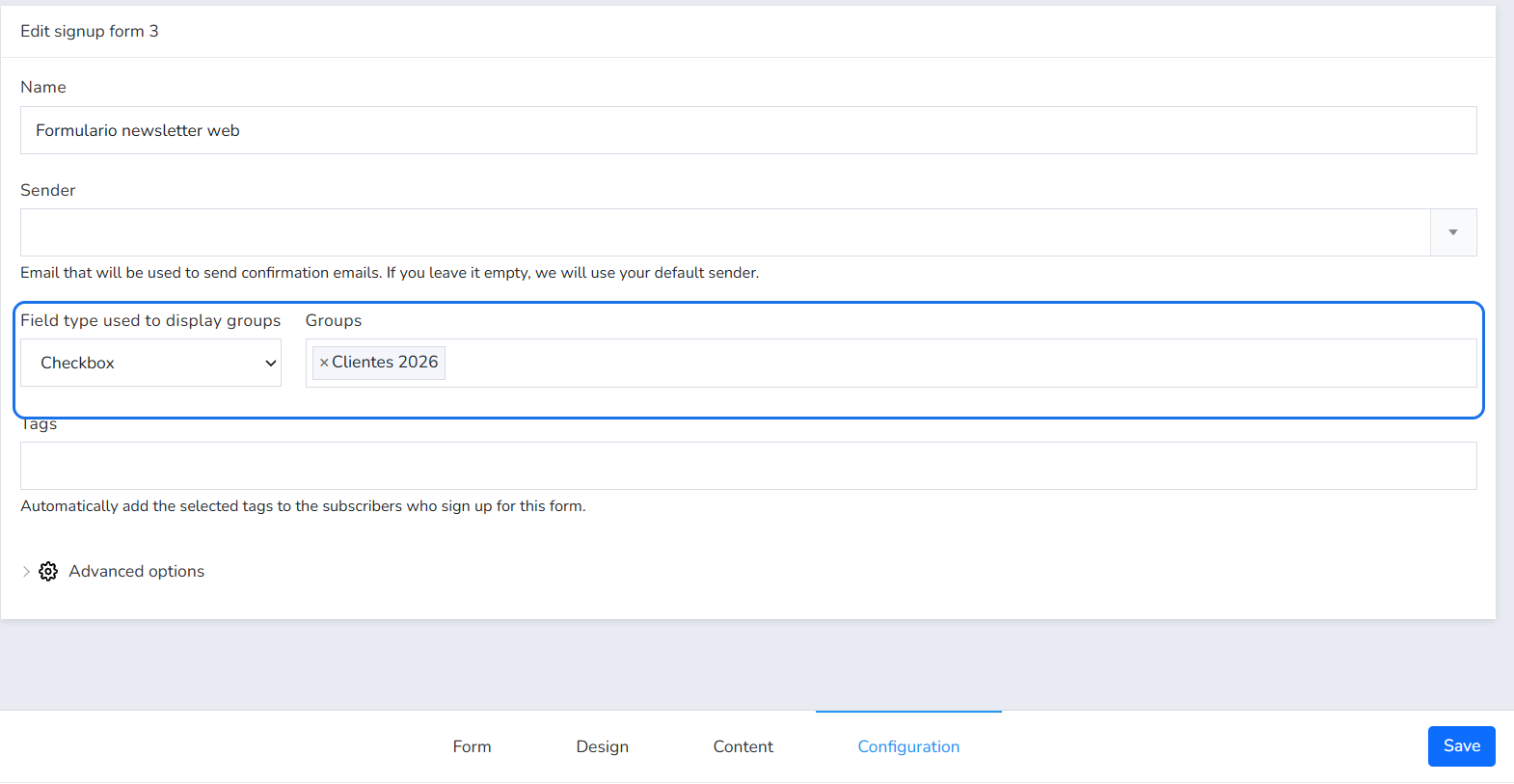
- Click Save.
The form shows a box for each group. If someone who is already on your list fills it in again and ticks another group, that group is added. The change applies when they confirm their subscription from the email they receive. They aren't removed from any group.
To add it to your website, follow the steps in Install a signup form or pop-up on your website.
Add the group unsubscribe link to the campaign
With the From groups unsubscribe link, the subscriber only leaves the groups you sent the campaign to. They keep receiving the rest of your emails. To add it with the visual editor:
- In the campaign content, select the link text, for example "Unsubscribe from this newsletter".
- In the text toolbar, click Link.
- Next to Link address, click Variables and, under Unsubscribe URLs, choose From groups.
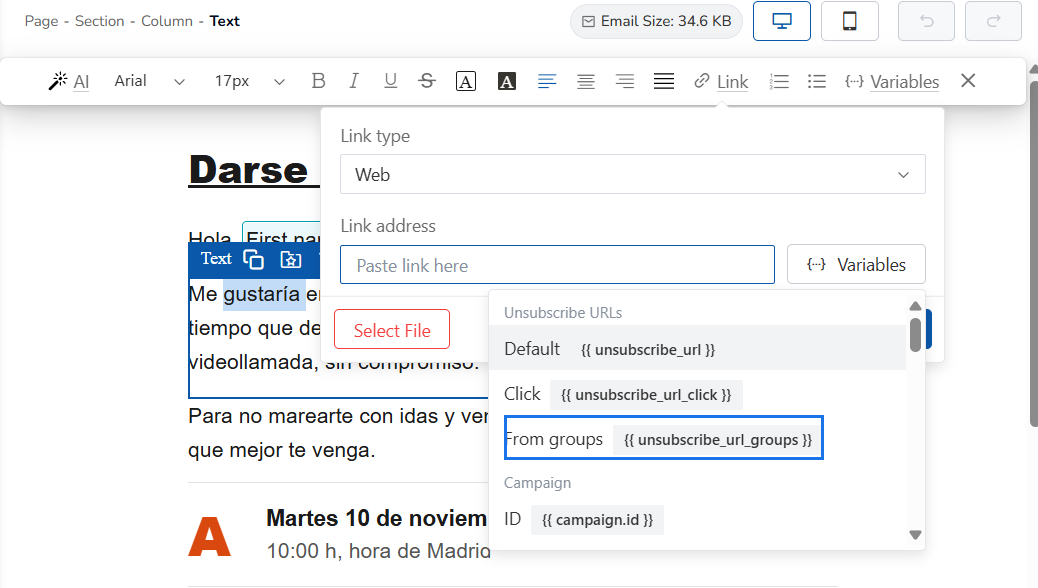
- Click Apply.
- Send the campaign to one or more groups, not to a segment.
If the campaign also has the regular unsubscribe link and the subscriber clicks it, they unsubscribe from your whole account. Then they stop receiving all your emails.
If you create the campaign by pasting your own HTML code, enter the variable {{ unsubscribe_url_groups }} as the link address.
What the subscriber sees when leaving a group
When they click the link, a page opens and asks them to enter their email. When they send it, they leave the groups of the campaign and stay Active in the rest of their groups.
Limits
Keep this in mind before letting your subscribers choose their groups:
- There's no page where the subscriber sees all their groups and changes them at once.
- The form only adds groups: it doesn't remove the subscriber from the groups they don't tick.
- The unsubscribe page always asks for the email and doesn't say which group the subscriber is leaving.
- If you send the campaign to a segment, the From groups link doesn't remove the contact from any group, and they keep receiving your emails.
- Unsubscribing with the Gmail or Apple Mail button unsubscribes from the whole account. It can't be set to only remove from a group.
You'll find all the types of unsubscribe link in Adding the unsubscribe link.
Frequently asked questions
These are the most common questions about subscriber preferences.
Does Mailrelay have a preference center?
No. Subscribers choose their groups in the signup form and leave a group with the From groups unsubscribe link.
Does the subscriber stop receiving all my newsletters if they leave a group?
No. They only leave the groups you sent the campaign to and keep receiving your mass emails to the other groups.
Can I use it with the free account?
Yes. Forms with groups and the From groups unsubscribe link are available on the free account of this email marketing platform.