How to get a domain and a business email to use Mailrelay
You can only use Mailrelay with email accounts on your own business or personal domain. This means Gmail, Outlook.com, Yahoo! Mail... or any other public email service won't work. Accepted addresses are business emails under the company's own domain or under your own domain. Addresses provided by schools or universities where you are a student are not accepted (since that domain doesn't belong to you).
If you don't have an email address to sign up for Mailrelay, don't worry: you can easily get a domain and an email account and, best of all, at a very low cost.
Basically, you register a domain with a provider that includes a free email account with the registration, and then use that email address to create your Mailrelay account.
Many providers offer this, but in this example we'll use [www.eurodns.com](https://www.eurodns.com). Here's how:
Create a customer account at https://my.eurodns.com/login/createNewAccount and log in to your customer area. In the domain search box, enter the domain you want to register, preferably with a .com extension, and register it for one year (this costs approximately 20 euros).
When you register a domain, EuroDNS gives you a free email account on your domain. These are the steps to activate it.
IMPORTANT: Do not purchase professional email or additional email accounts. You only need to add to your cart the free Open-Xchange email included with the domain, and the price will be 0 euros. |
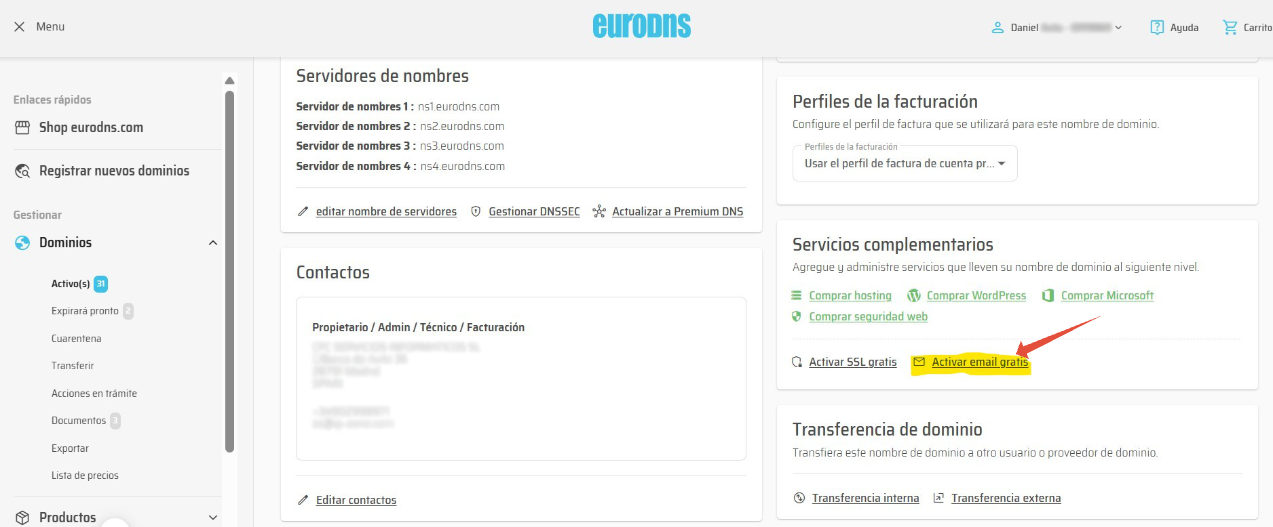
- Once your domain is registered, go to Domains and click Edit.
- Click Activate Free Email.
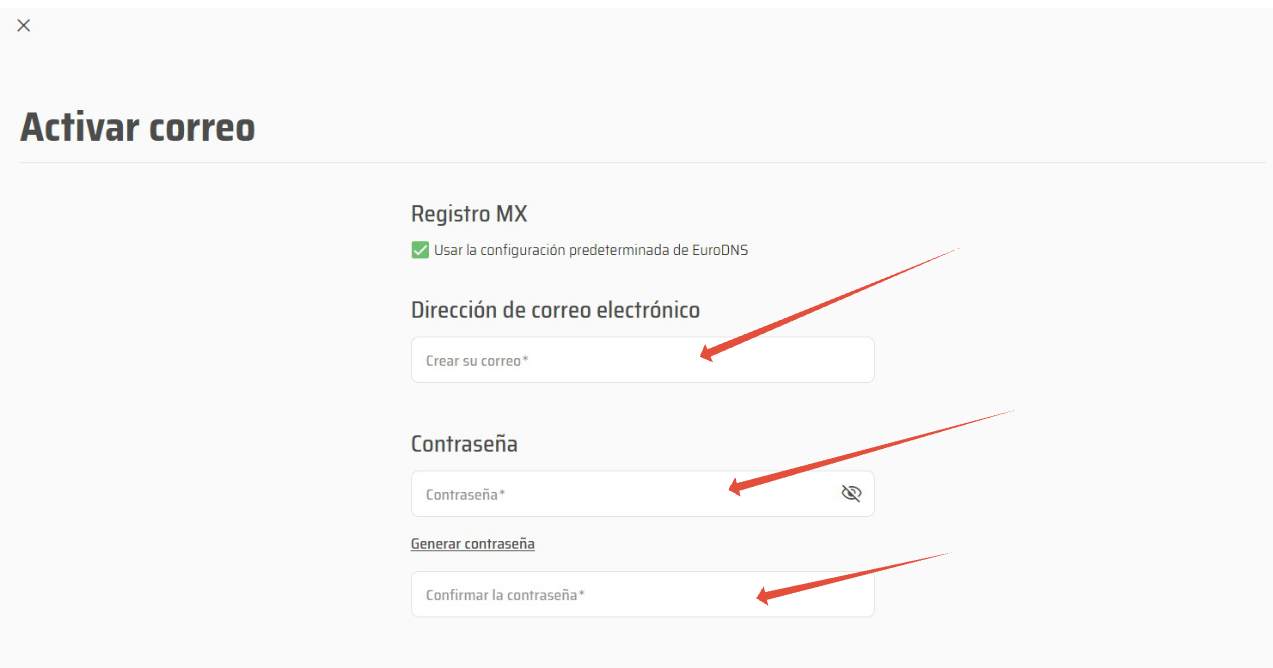
- Set up the email address and password, complete the process, and you're done.
You can now access this account through EuroDNS webmail and forward it if you wish. Most importantly, you can use this email address to sign up for your free Mailrelay email marketing account.
Was this article helpful?
That’s Great!
Thank you for your feedback
Sorry! We couldn't be helpful
Thank you for your feedback
Feedback sent
We appreciate your effort and will try to fix the article