
In Mailrelay you can automatically tag the subscribers who open a campaign or click a link. You do it with an automation that starts with When an email is opened or When a link is clicked. Then it has the Add tags block. It works on the free account.
It's a simple form of automated email marketing. You know who has shown interest in your newsletters, and you can send them email marketing campaigns made for them.
Before you start
- Create the tag you're going to add, for example "Opened the campaign". You'll find the steps in Tags. You can also create it from the automation block itself.
- If you want to tag the people who open a campaign, create that campaign first.
Tag the people who open a campaign
To give subscribers a tag when they open a campaign:
- Go to Automations, click Add, enter a Name and click Create Automation.
- Click New entry point.
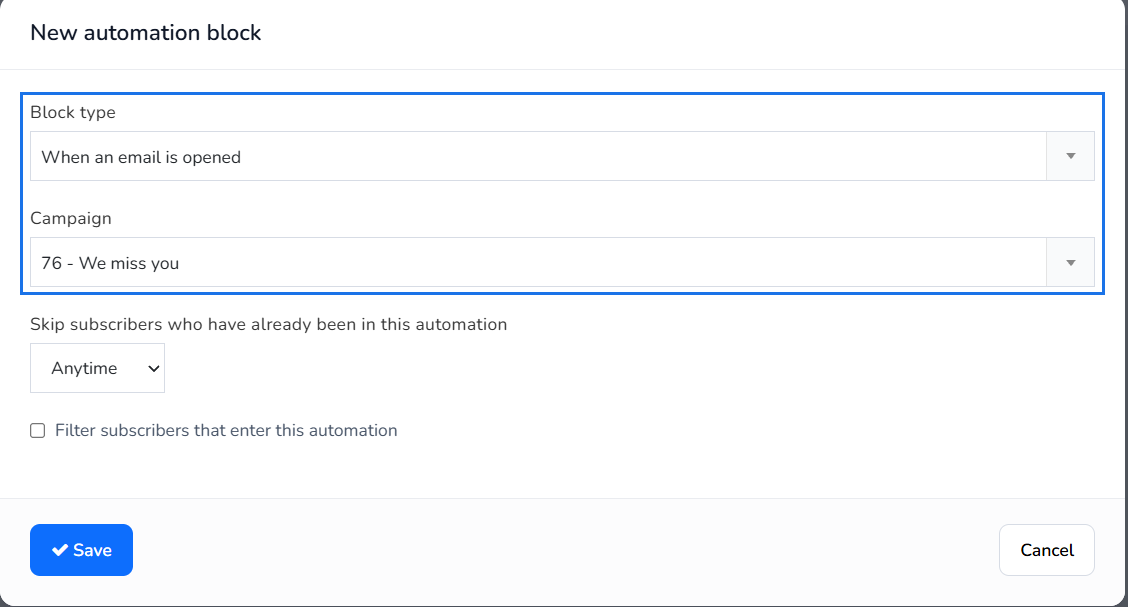
- In Block type, choose When an email is opened. In Campaign, choose the campaign and click Save.
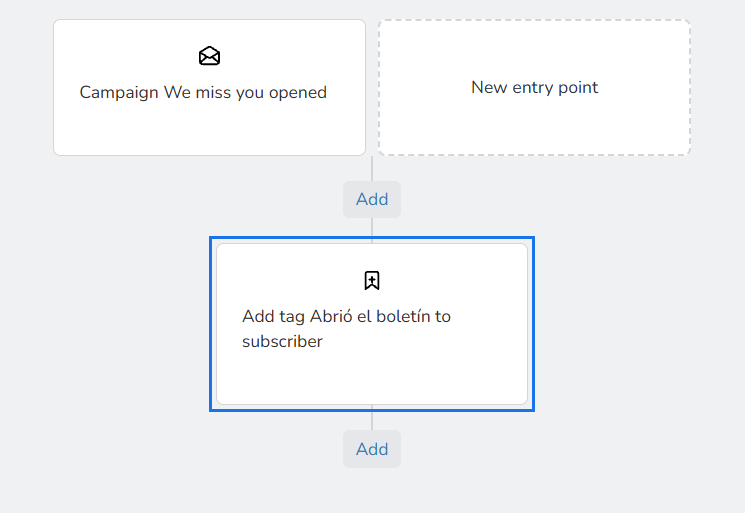
- Click Add, below the entry point.
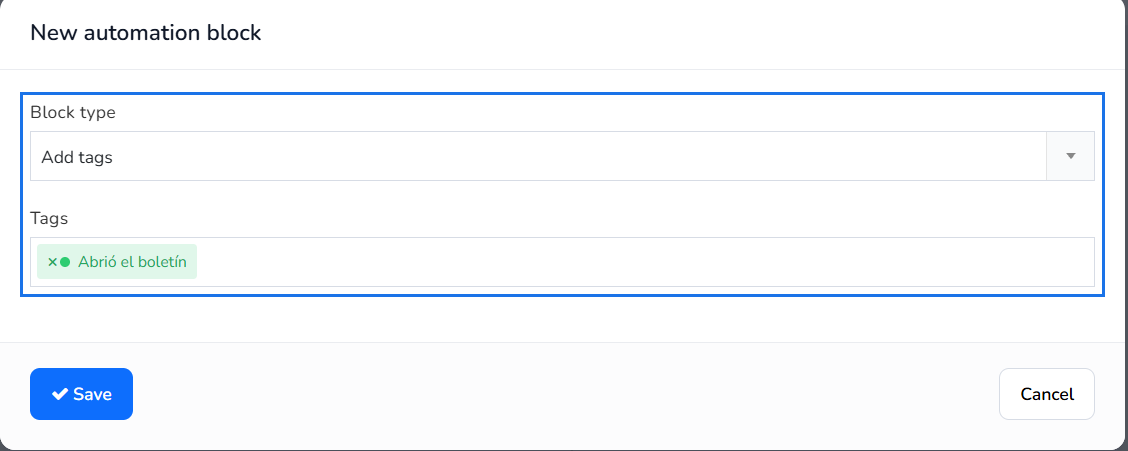
- In Block type, choose Add tags. In Tags, choose the tag and click Save. If the tag doesn't exist, type its name and choose Create.
- Click Change status and choose Enable to turn on the automation.
A few seconds after the subscriber opens the campaign, you'll see the tag on their profile, under Tags.
Tag the people who click a link
To tag only the subscribers who click a specific link:
- Create an automation and click New entry point, as in the previous section.
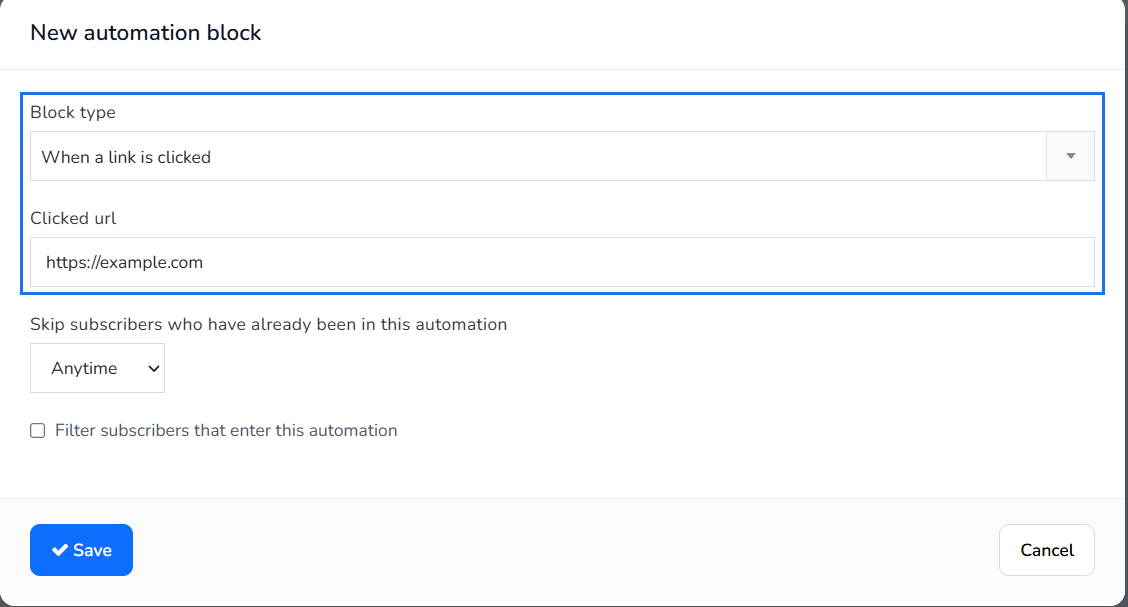
- In Block type, choose When a link is clicked. In Clicked url, enter the address of the link in the campaign, for example "https://example.com", and click Save.
- Add the Add tags block with the tag, for example "Clicked the link".
- Click Change status and choose Enable.
Only the people who click that link get the tag. Subscribers who don't click it don't get it.
Use the tags in your mass emails
Once the tags are in place, you can:
- Create a segment with the Subscriber tags condition and send a campaign to it. You'll find the steps in Segment subscribers by data and activity: opens, clicks and score.
- Start another automation with the When a subscriber is tagged entry point, for example to send them a follow-up email.
Limits
Keep this in mind before you create the automation:
- When an email is opened works with a specific campaign. There's no option for any campaign.
- When a link is clicked is set up with the link address, not with a campaign.
- The Standard plan doesn't track opens or clicks, so it can't tag based on these actions.
You'll find all the entry points and blocks in Automations, how to create automations in Mailrelay.
Frequently asked questions
These are the most common questions about automatic tags.
Does Mailrelay tag contacts based on their engagement?
Yes. With Mailrelay's email marketing automation you can tag the people who open a campaign or click a link.
Can I start an automation when a contact gets a tag?
Yes. Use the When a subscriber is tagged entry point and choose the tag.
Can I use it with the free account?
Yes. Automations with tags work on the free account of this email marketing platform.