To delete an account, you need to contact the support department so that, if you need any kind of help before the deletion, you can receive assistance.
How to delete my account if I have access to it
Requesting the deletion of an account is as simple as clicking on Help->Tickets--> New ticket -->For the Support Department and this will allow you to notify us that you want your account to be closed.
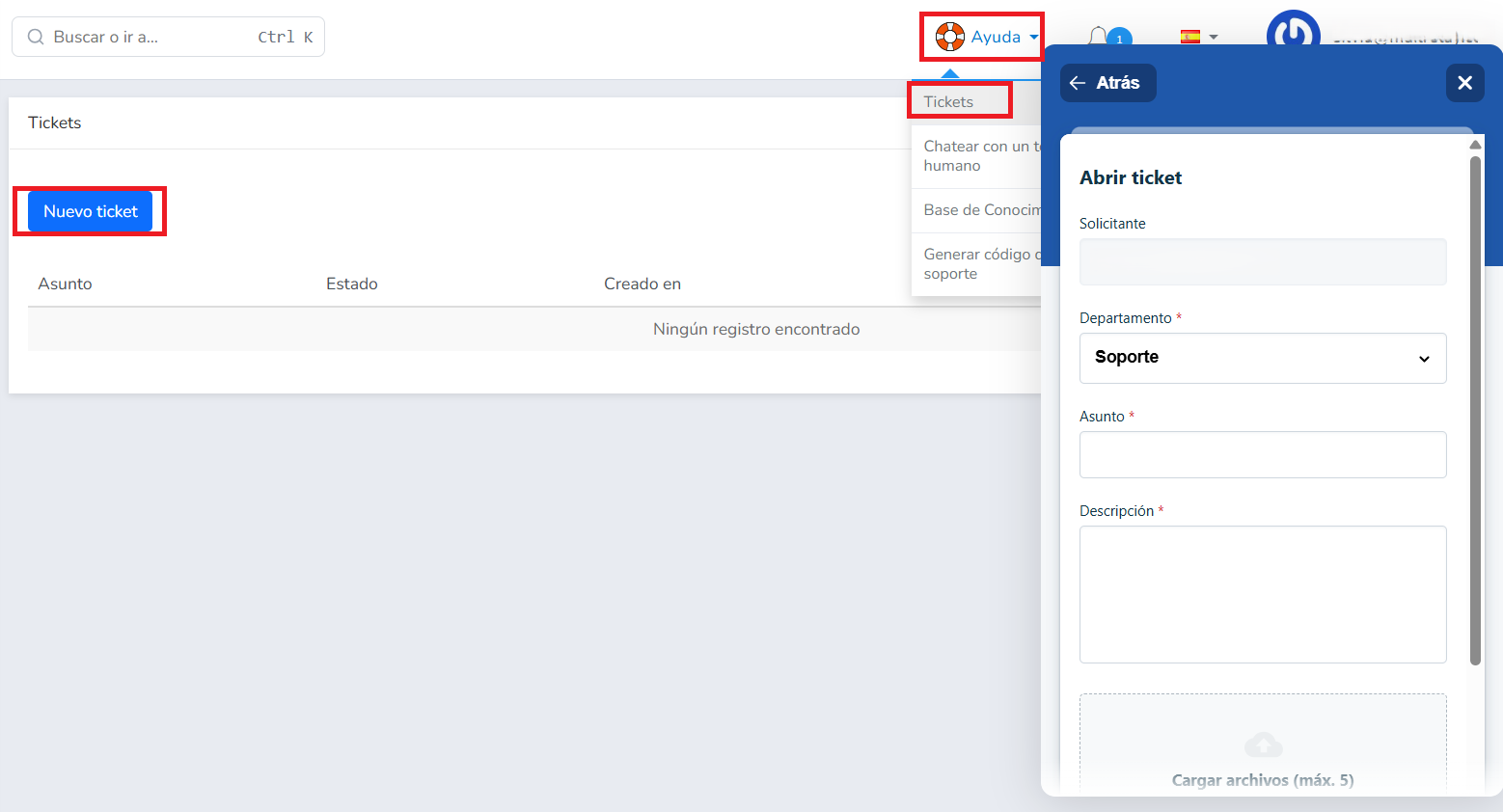
Account closures are managed by the support department, so you need to create a ticket. To do so, you only have to include a few simple details:
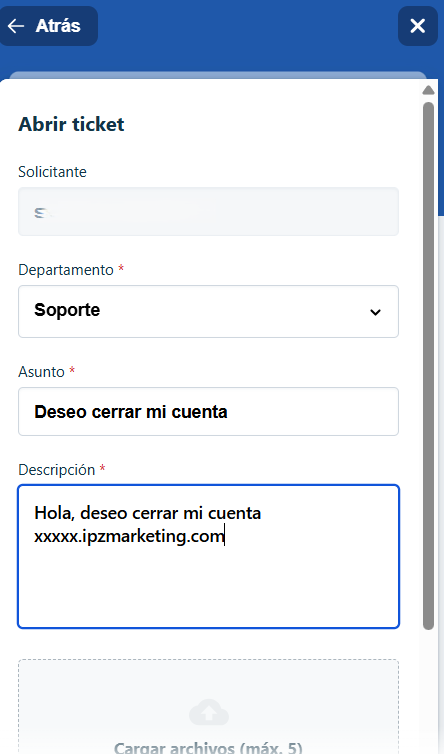
- Department: select Support.
- Subject: Clearly state the reason, for example: I want to close my account
- Description: Include a text stating the name of the account you want to delete, as well as any other information you consider useful to include.
If you wish, you can attach documents from the attachments area (Upload files (max. 5)) and then you must complete the reCAPTCHA to verify yourself (I'm not a robot).
Once everything is ready, just click on the Send button and the support team will delete your account.
How to delete my account if I don't have access
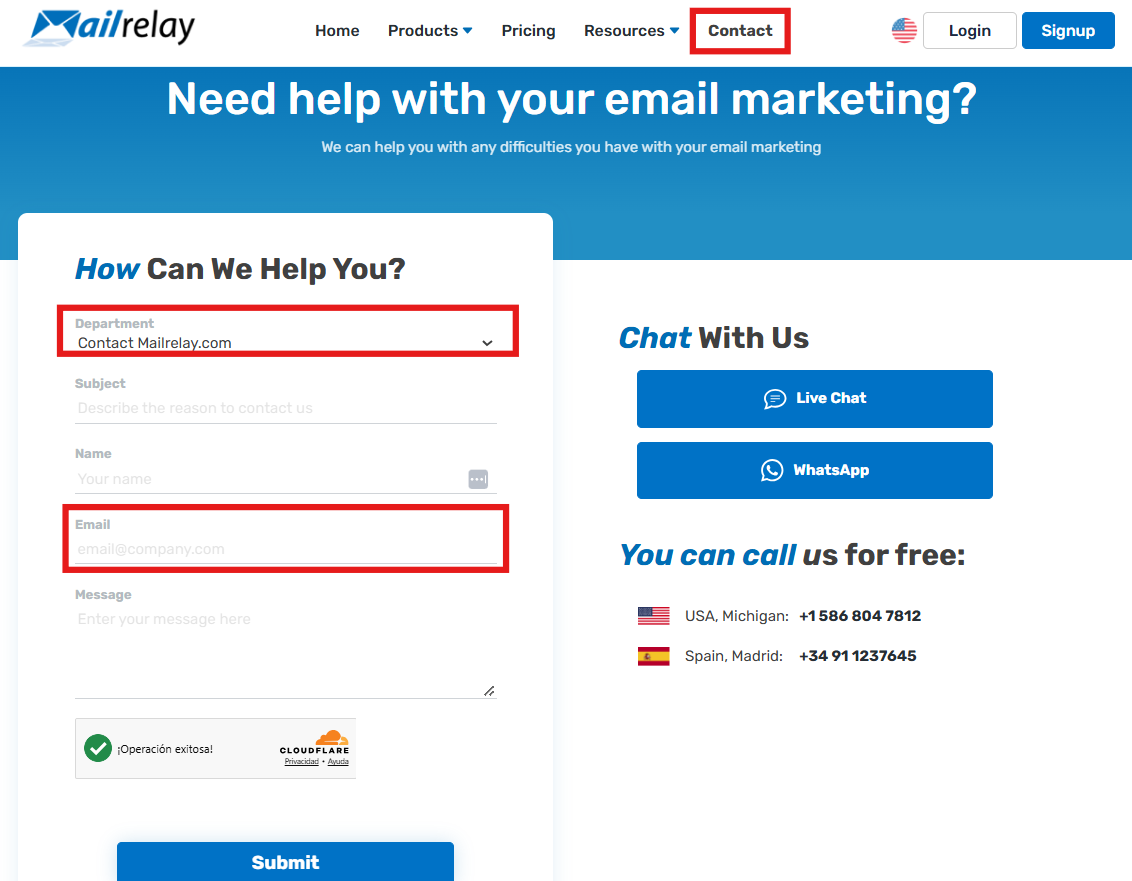
If you don't have access, you can request it from the email address associated with the account through our contact page
Deleting the account removes your contacts and newsletters, so we recommend exporting them before deletion.
When the account is deleted, the domain is blocked from being used to create new accounts. To create another account with the same domain, you would need to ask us to unblock the domain.
Was this article helpful?
That’s Great!
Thank you for your feedback
Sorry! We couldn't be helpful
Thank you for your feedback
Feedback sent
We appreciate your effort and will try to fix the article