
SMS using our API
TABLE OF CONTENTS
With the Mailrelay API, you can send SMS directly from your website, your online store or your CRM, without logging in to the panel. It is the right option for transactional SMS: one-off messages that your system sends to specific phone numbers, such as confirmations or alerts.
If you want to send mass SMS to your subscribers, you can also create SMS campaigns from the panel.
Another option for sending SMS from Mailrelay is to use our API included in all accounts. To work with this option, you should click on Settings >> API Keys and in this menu you will find the different API keys activated for each user. You can also find the documentation with information on how to use our API here.
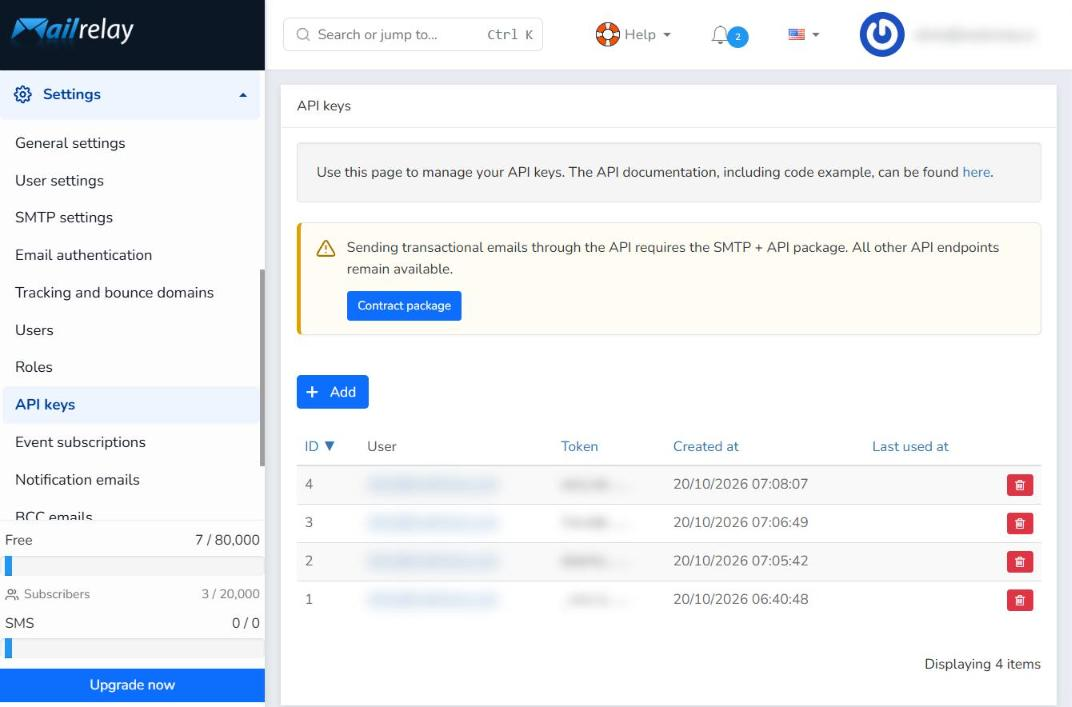
If you have not created any, below you will see how to add a new API key to send SMS campaigns using an API key.
Adding an API key
Once you click +Add, you will see a new API key window that will open the Drop-Down Users menu, where you must select the user to which you want to assign the new API key.
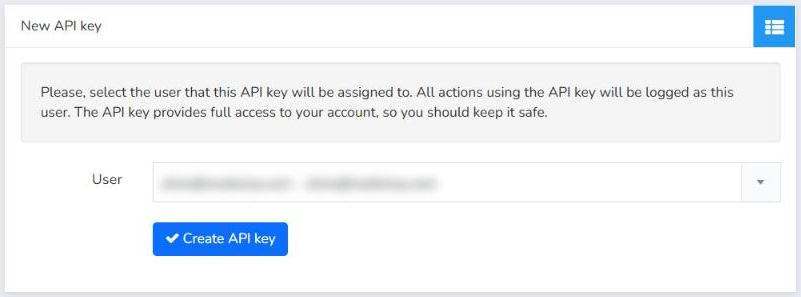
After that, just click Create API key for it to be generated. Now it will be displayed in the main window along with all the API keys created for the account, ready to use.
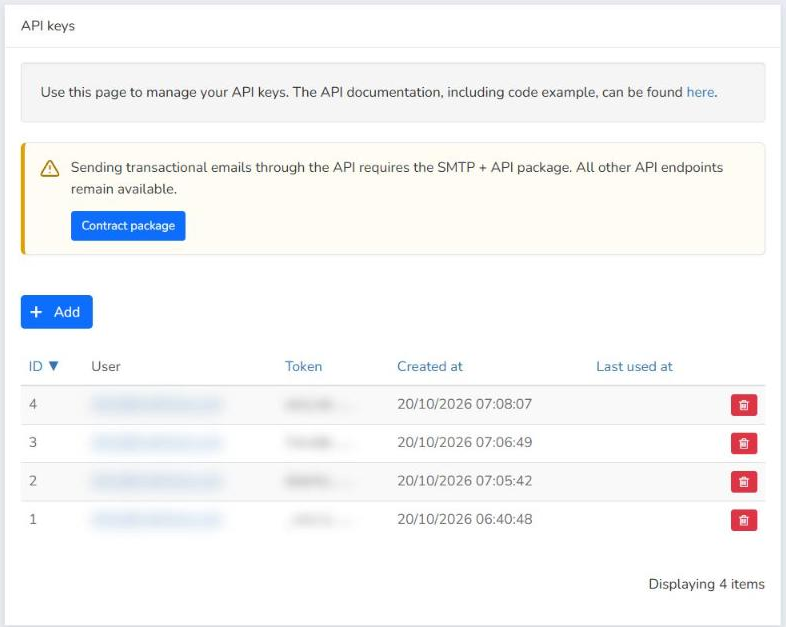
Keep in mind that the full key is only shown when you create it, so copy it and keep it in a safe place. You can find all the details in the API keys article.
How to send an SMS with the API
Once you have your API key, you can send SMS from your own system. The API documentation has all the up-to-date information, with code examples:
- Send SMS to one or more recipients
- Check the SMS sent by API
- Getting started with the API: how to use your API key and the usage limits.
Sender name and alias registration
Since 15 September 2026, alphanumeric sender names (aliases) used to send SMS to Spanish numbers must be registered in the CNMC Alias Registry. Before using a sender name with the API, request its registration from SMS >> SMS alias registry.
You can find the steps in the SMS Alias Registration article.
How to check the SMS sent by API
The SMS you send with the API appear in SMS >> SMS sent messages. There you can see the phone number, the status of each message and the creation, processing and delivery dates, and filter by status: Not processed, Processed, Ignored, Delivered, Failed or Expired.
More information in the SMS sent messages by API article.
API limits and errors
The API has request limits and returns an error code when something goes wrong. Always check the up-to-date information in the API documentation: the limits in Getting started with the API and the response codes for sending SMS in Send SMS to one or more recipients.
SMS balance
SMS are sent using the balance of your SMS package. In SMS >> SMS package usage you can see your usage and buy a new package with the Purchase new package button. More information in SMS package usage.
API documentation
All information (including code examples) about sending SMS using our API will be available at any time at: SMS Vía Api Keys.
We hope this tutorial will help you and if you have any additional questions, do not hesitate to contact us.