How to register the sender name you use in your SMS campaigns with Spain's CNMC, step by step from the Mailrelay panel.
Why it matters: Since 15 September 2026, Spanish mobile operators block any SMS whose alias (sender name) is not listed in the CNMC Alias Registry. You must request one registration per alias, written exactly as it appears in your campaigns — the registry is case-sensitive. Mailrelay generates the authorization letter, you sign it digitally and upload it back; Mailrelay then submits the request to the CNMC on your behalf. CNMC approval usually takes up to a month.
Step 1. Open the alias registry
From the side menu, go to SMS → SMS alias registry. You'll see the list of aliases you've already registered, with their status and creation date. The first time, it will be empty.
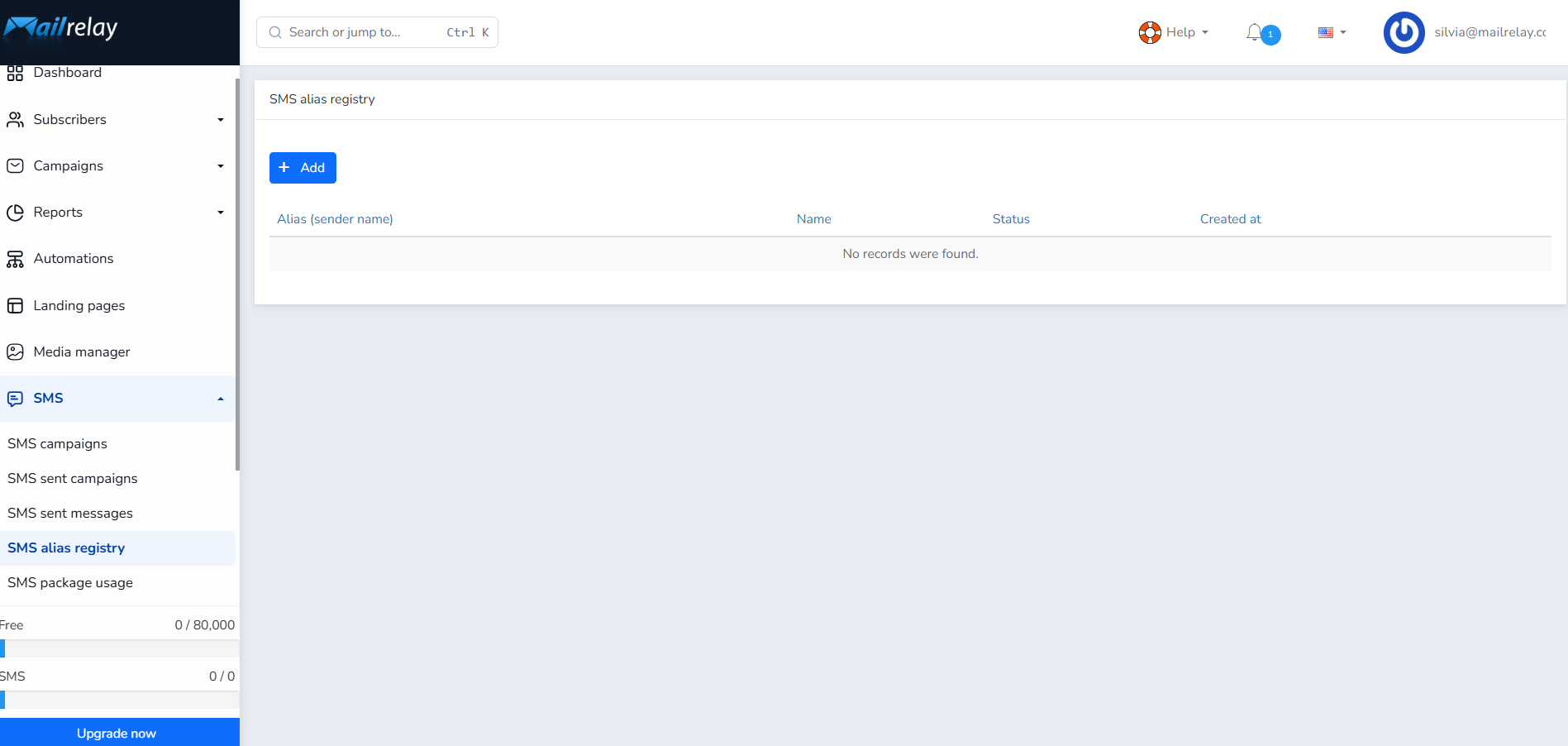
Step 2. Click "Add"
This opens the new registration form. It has two parts: the details of the alias and its link to the holder, and the details that will be printed on the authorization letter for the CNMC.
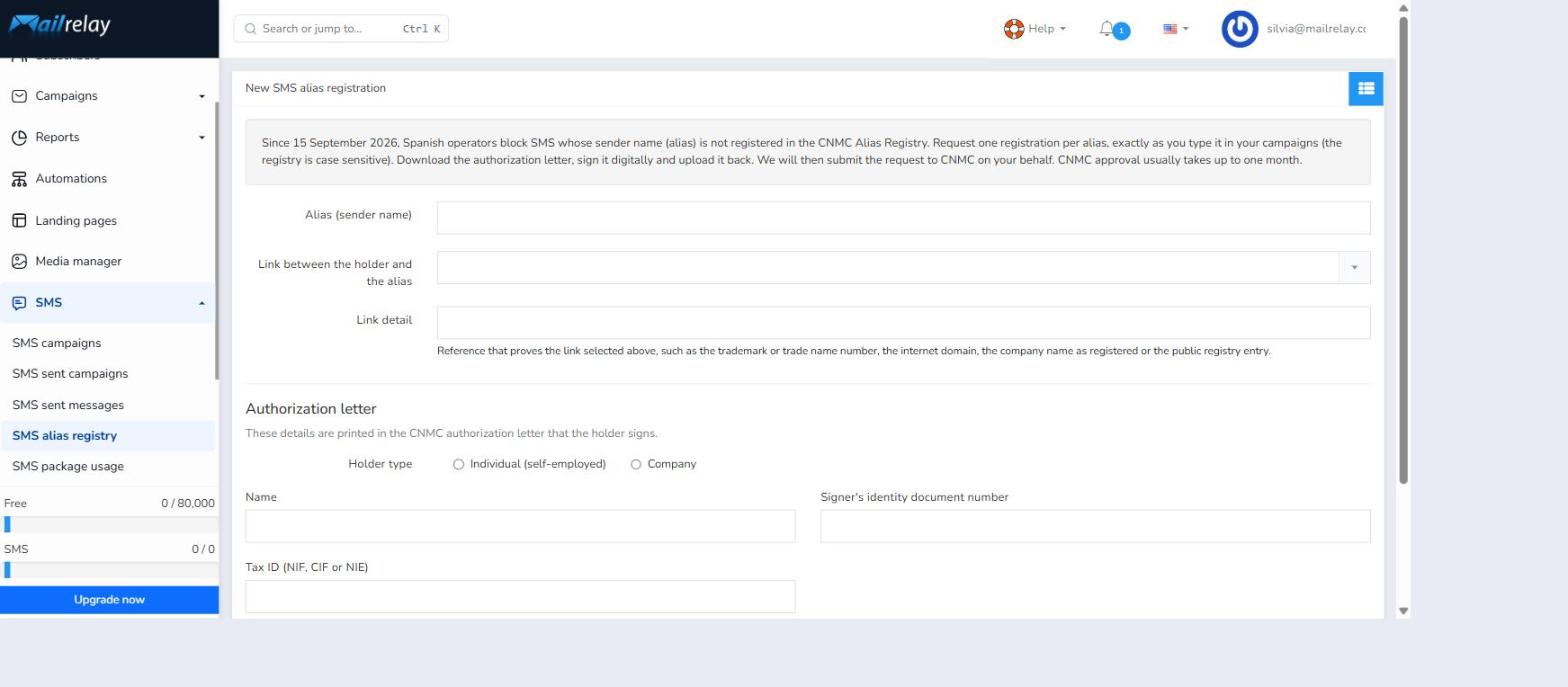
Step 3. Enter the alias and its link to the holder
The Alias (sender name) field must be typed exactly as it appears in your SMS campaigns, character for character. Next, choose the relationship between that alias and whoever will use it:
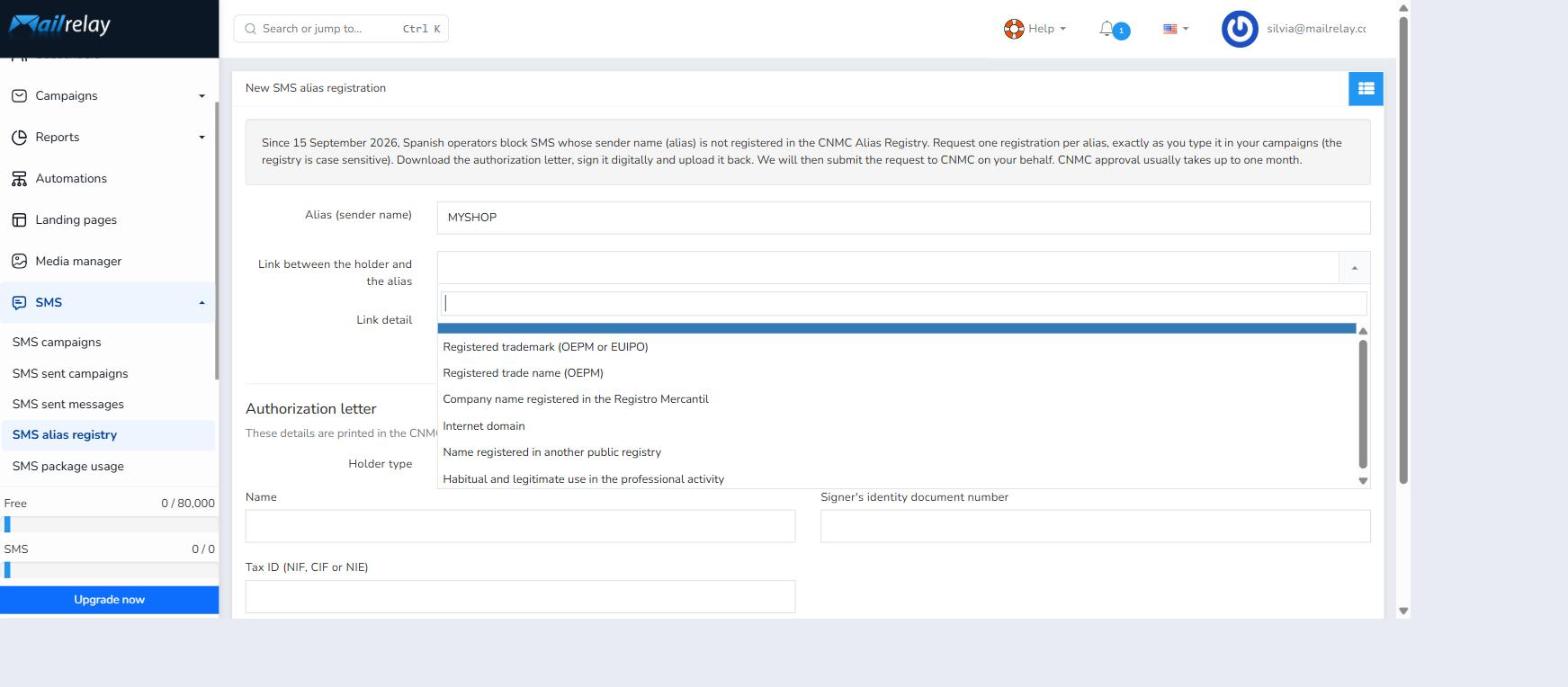
- Registered trademark (OEPM or EUIPO) — the alias matches a registered trademark.
- Registered trade name (OEPM) — matches a registered trade name.
- Company name registered in the Registro Mercantil — matches the company's legal name.
- Internet domain — matches a domain you own.
- Name registered in another public registry.
- Habitual and legitimate use in the professional activity — for anyone without any of the registrations above who nonetheless uses that name regularly.
In Link detail, note the reference that proves it: the trademark number, the trade name, the domain, or the registry entry details.
Step 4. Fill in the holder's details
Choose the Holder type: Individual (self-employed) or Company. Selecting "Company" reveals extra fields for the Registro Mercantil and for the legal representative who signs the letter.
These are the details printed on the CNMC authorization letter:
| Field | What goes here |
|---|---|
| Name | The company's legal name or the self-employed individual's name. |
| Tax ID (NIF, CIF or NIE) | The holder's tax identification number. |
| Address | Registered or tax address. |
| Signer's full name | The legal representative who will digitally sign the letter. |
| Representation type | Administrator, managing director, attorney-in-fact, or other. |
| Signer's identity document number | The signer's national ID or foreigner ID number. |
| Commercial registry province and sheet | Only for companies — details of their Registro Mercantil entry. |
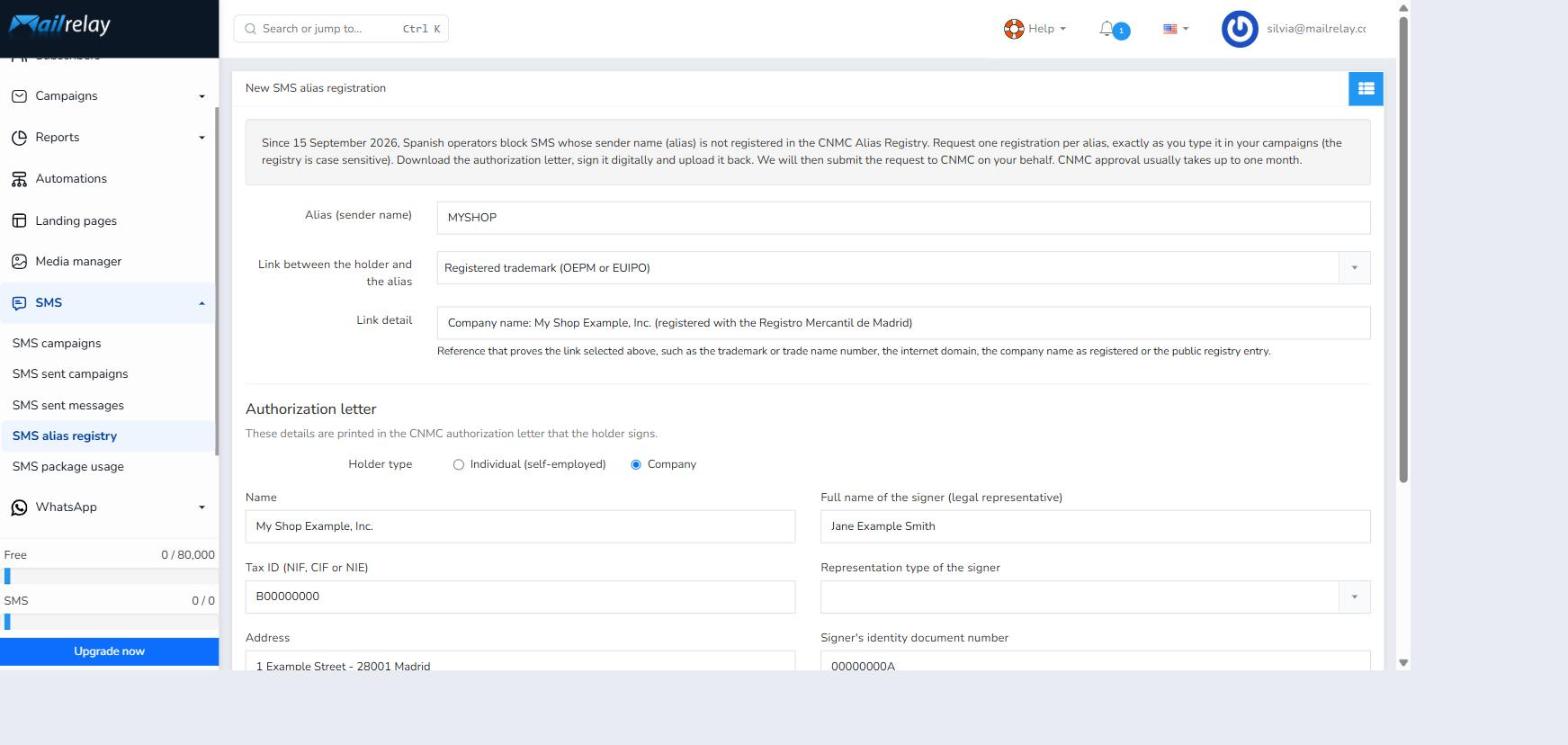
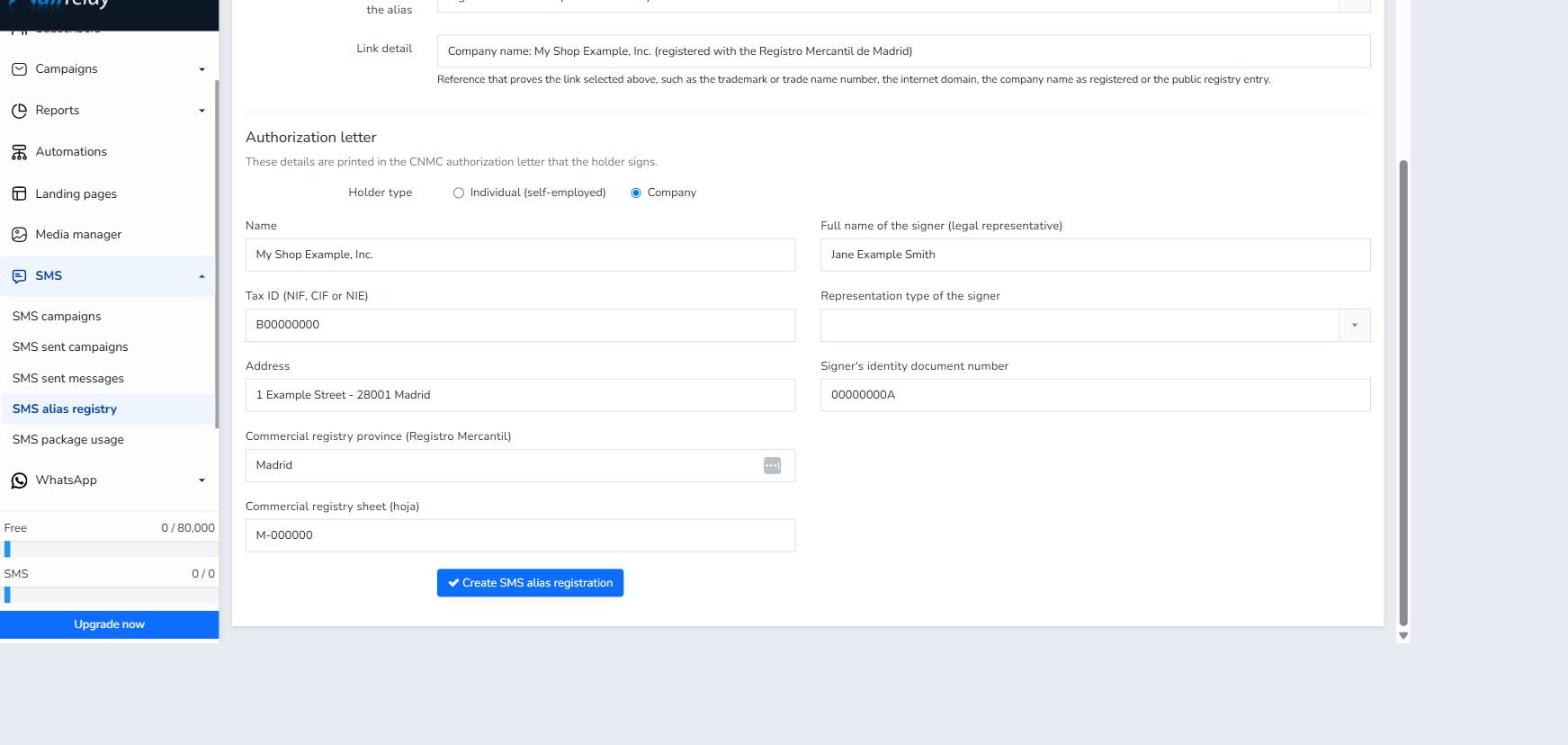
Note: the data in these two screenshots is fictional (example alias, company, tax ID, and signer) and is only meant to show what each filled-in field looks like. No real registration was created.
Step 5. Create the registration and sign the letter
Clicking Create SMS alias registration makes Mailrelay generate the authorization letter with that data. From there:
- Download the authorization letter from the list.
- Sign it digitally as the legal representative named as signer.
- Upload it again, now signed, from the same screen.
- Mailrelay submits the request to the CNMC on your behalf.
This last step kicks off a real filing with a regulatory body, so it should be completed with the holder's real details rather than example data.
Step 6. Check the status
Back in the list, each alias shows its status. CNMC approval usually takes up to a month:
- Pending signature — the signed letter still needs to be uploaded.
- Submitted to CNMC — under review by the regulator.
- Approved — the alias can now be used in SMS.
- Rejected — review the link type or the data provided.
While an alias is not yet approved, Spanish operators may block any SMS sent using that sender name.
Summary
SMS alias registry → Add → type the alias exactly as you use it → choose the link type and its detail → enter the holder's and signer's details → create the registration → download, sign, and upload the letter → wait for CNMC approval (up to 1 month) → check the status in the list.
Was this article helpful?
That’s Great!
Thank you for your feedback
Sorry! We couldn't be helpful
Thank you for your feedback
Feedback sent
We appreciate your effort and will try to fix the article