Automation reports
Here you can find reports for each automation you perform.
On this screen you can see the automations created and the reports for each one, you can see if they are enabled, the messages sent, impressions, clicks, and unsubscribes.
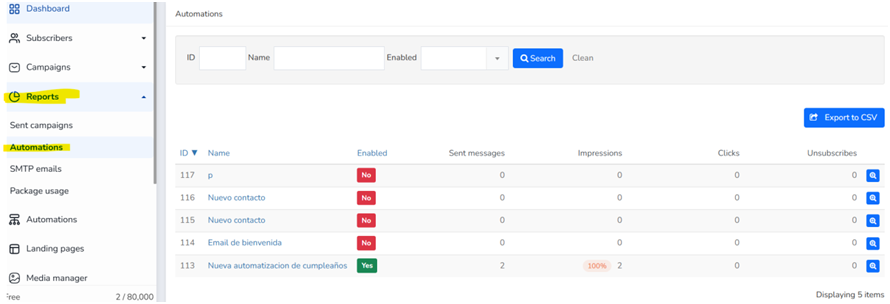
You can search by ID, Name, or Enabled status (yes or no).
You also have the option to export
By clicking on the magnifying glass to show Overview You will find these sections (Sent emails, Impressions, Clicks, SMS, Activities log)
It also allows you to filter by date.
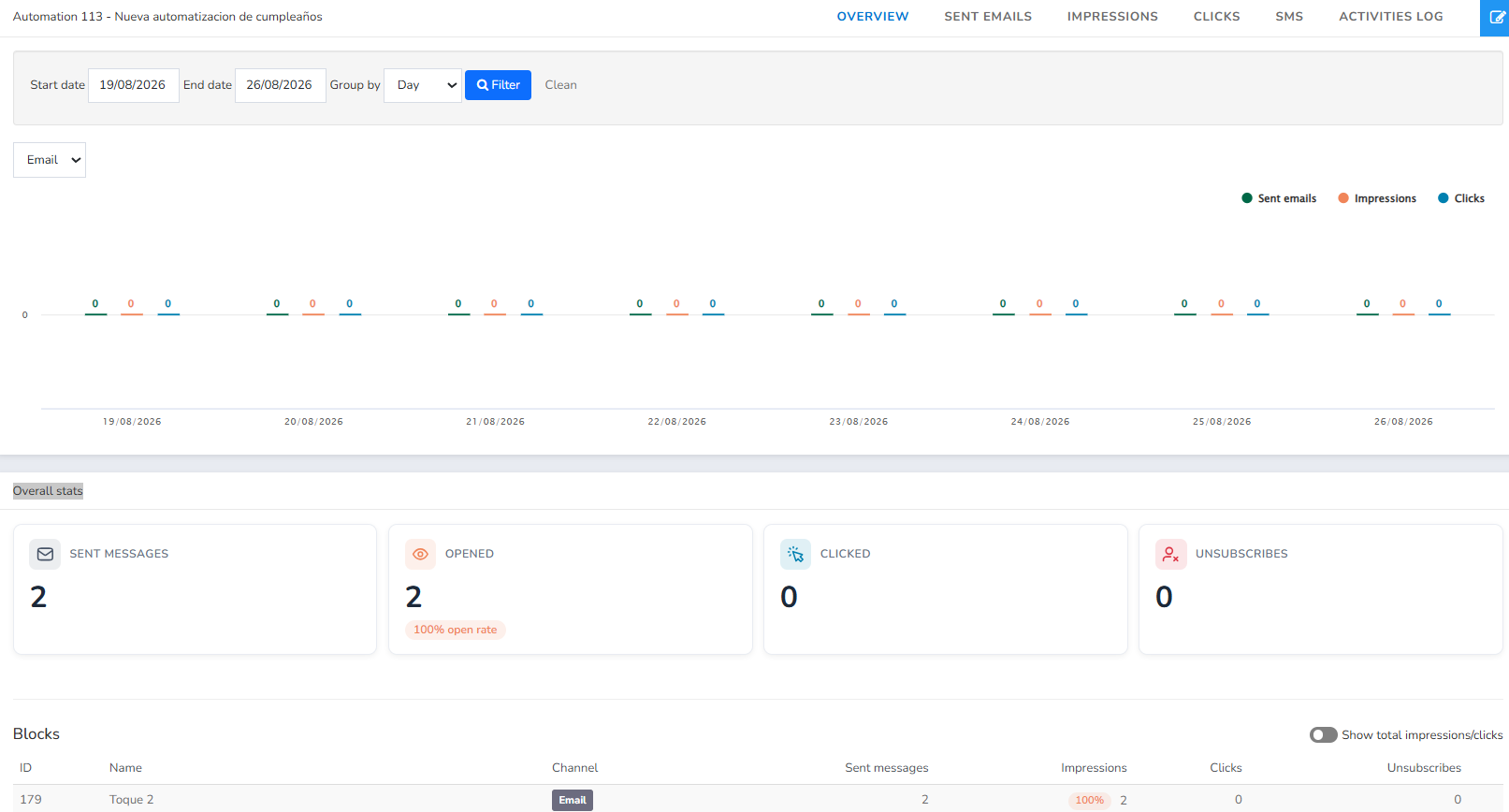
In sent emails you can see the status of each email
In visualizations we can see all the emails that have been viewed by the automations. You can check "unique" to see the unique views of each email.
In the Clicks section, you can see the clicks your subscribers have made on your automations. If you select "Unique Clicks," you'll only see emails that appear once, as they may have clicked more than once.
In SMS you can find SMS automations.
In the Activity Log you can find the creator's email address when the activity was created and when it was completed.
If a subscriber has been stopped because two or more automations were triggering each other, they will appear as "Stopped: Automation loop"; the "?" icon explains the reason and how to resolve it. In a CSV export, this reason appears in the "Reason for stopping" column.
Was this article helpful?
That’s Great!
Thank you for your feedback
Sorry! We couldn't be helpful
Thank you for your feedback
Feedback sent
We appreciate your effort and will try to fix the article