When you send campaigns it is necessary to check their results, you can do this easily from the Sent campaigns option of WhatsApp.
Click on Sent campaigns and you will enter the management window for your sent campaigns. This window has two main areas, at the top is the search area where you can filter between your different sent campaigns and below it, you have the results area where you will see the campaigns.
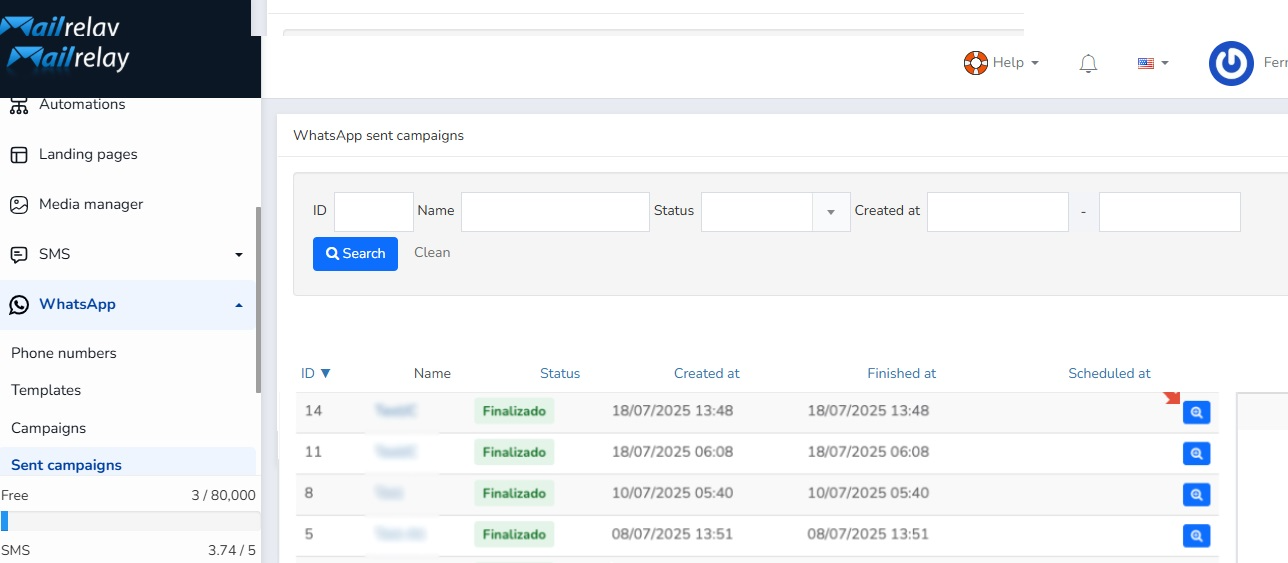
There next to the name of each of the campaigns you have a blue button with a magnifying glass icon (Show), click on it to access the detailed statistics of that campaign.
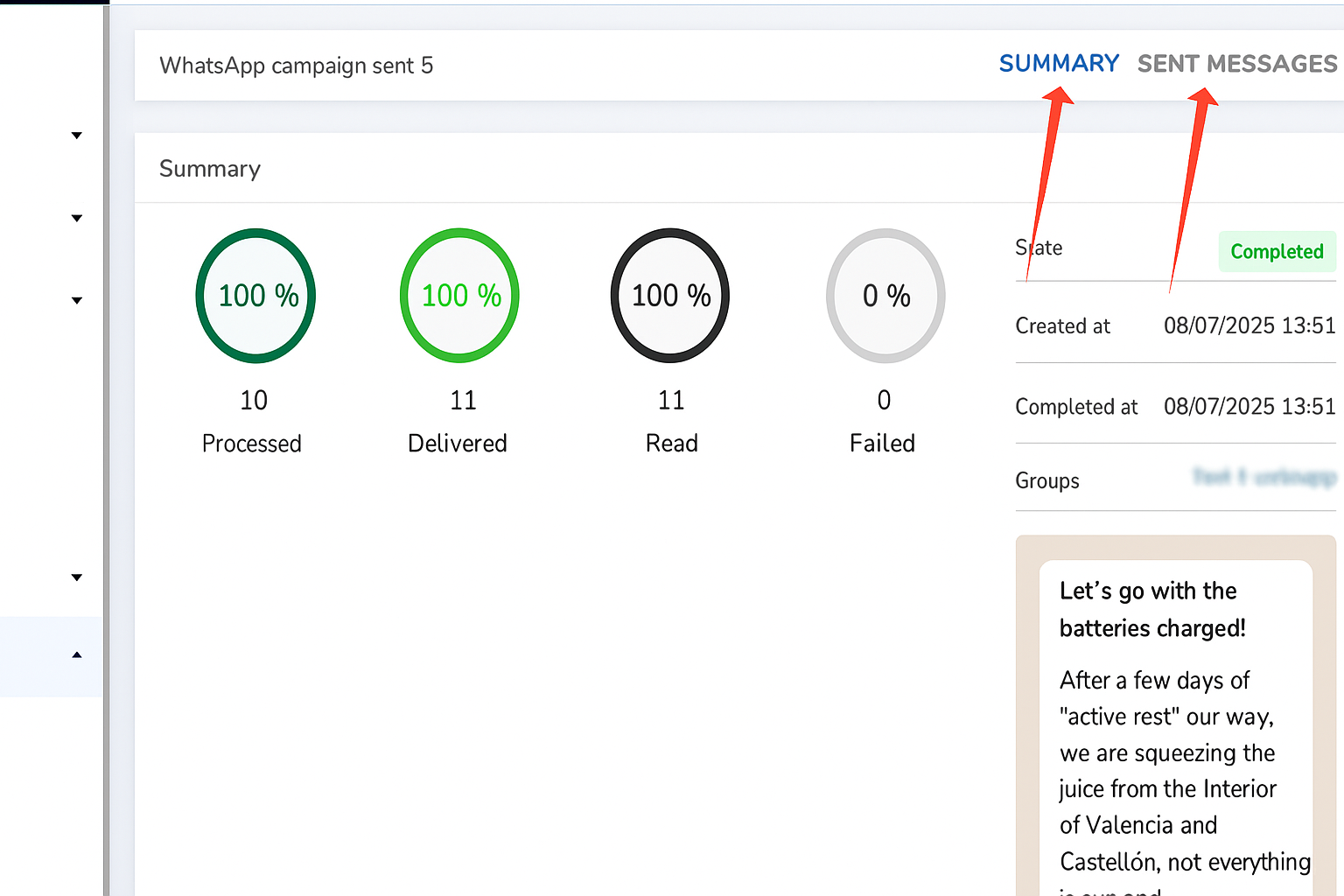
In this area there are three tabs and by default you will access the summary one (Summary), where you can see the number of phones to which you sent (Processed), the percentage of delivered (Delivered), the readings obtained (Read) and if there were any that could not be delivered (Failed).
The Sent messages tab shows the detailed status for each phone number, while the Log tab contains a log of the campaign.
Was this article helpful?
That’s Great!
Thank you for your feedback
Sorry! We couldn't be helpful
Thank you for your feedback
Feedback sent
We appreciate your effort and will try to fix the article